
University
Midterm and final study plan
Drop in your lecture slides and notes, set the date and get a study plan for finals that splits the course into levels.
AI study planner for iPhone & Android
Add a PDF, notes or just a topic, set your exam date and get a day-by-day roadmap with a lesson, flashcards and a quiz at every level.


No account needed. Level 1 of your first plan is free.
How it works
Upload a PDF or .txt file (up to 5 MB each, 20 MB total), paste your notes, or just type the course or topic. Pick your exam date.
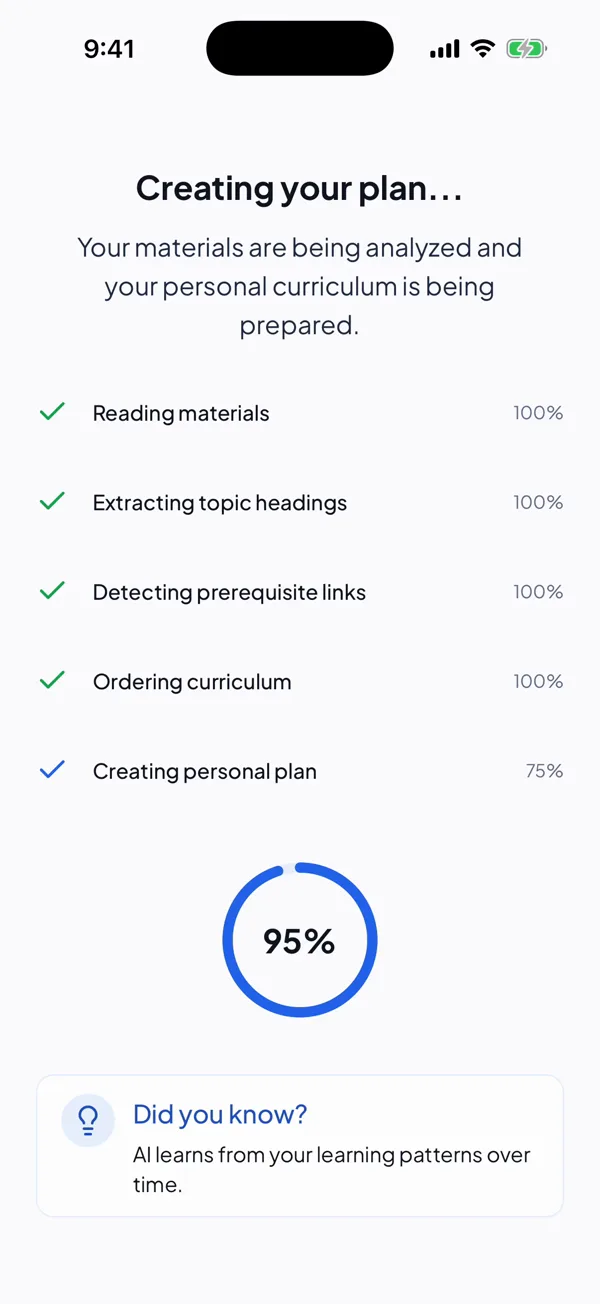
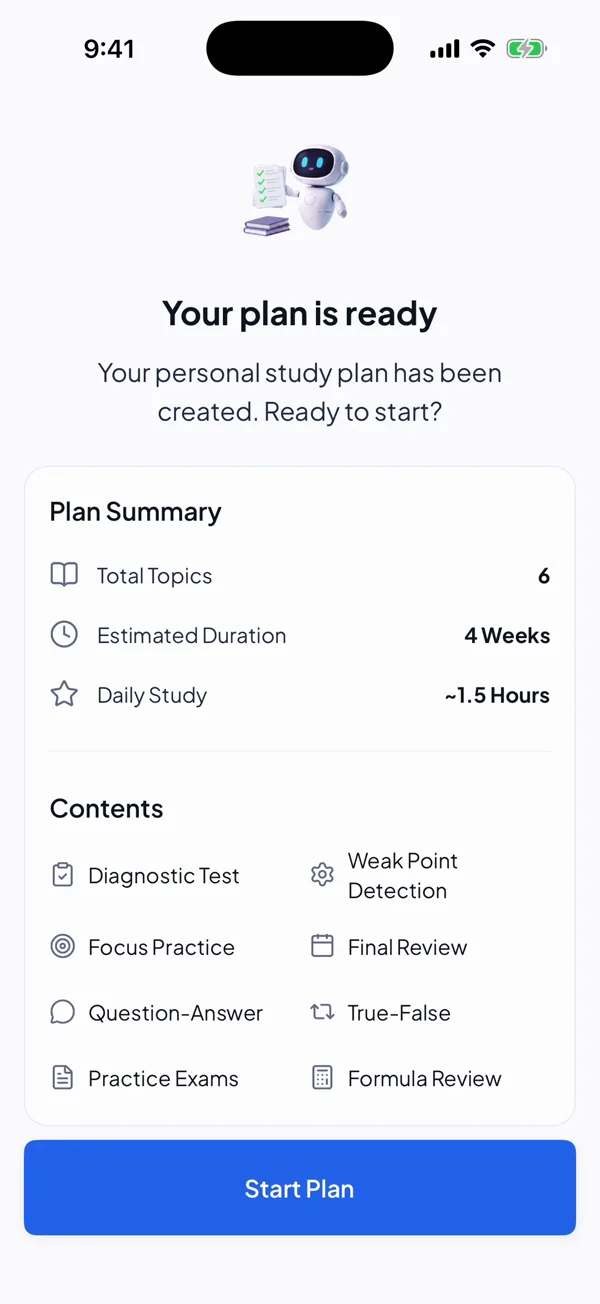
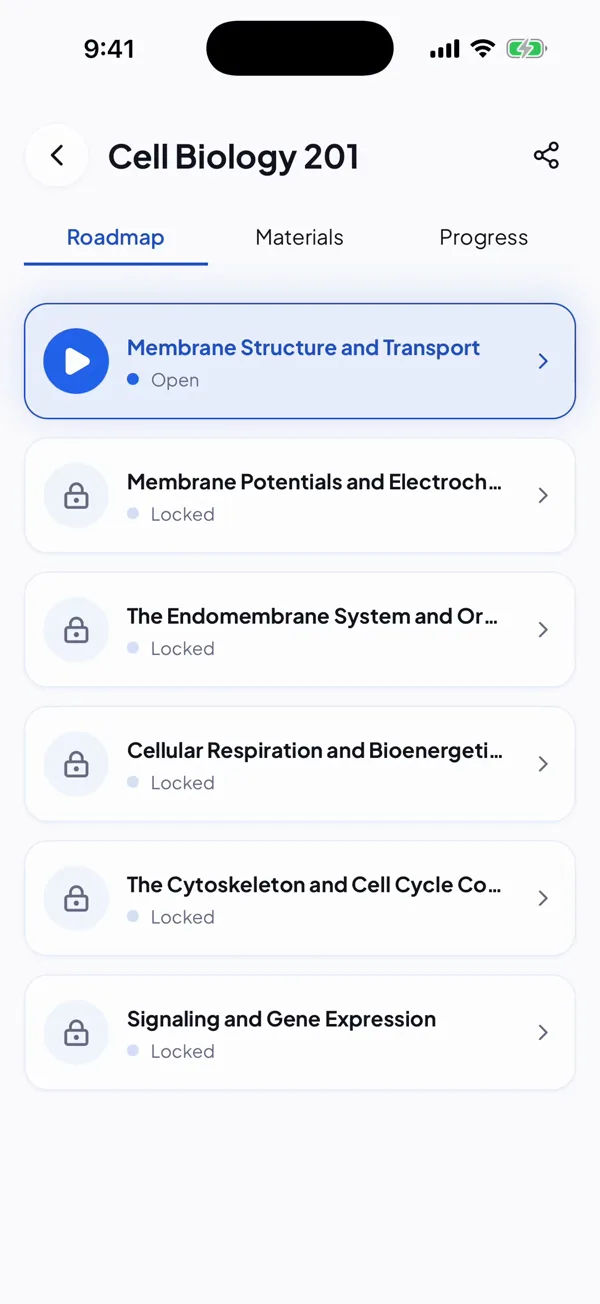
StudyPal finds the topics, puts them in order and spreads them across the days before your exam. You always know what today is for.
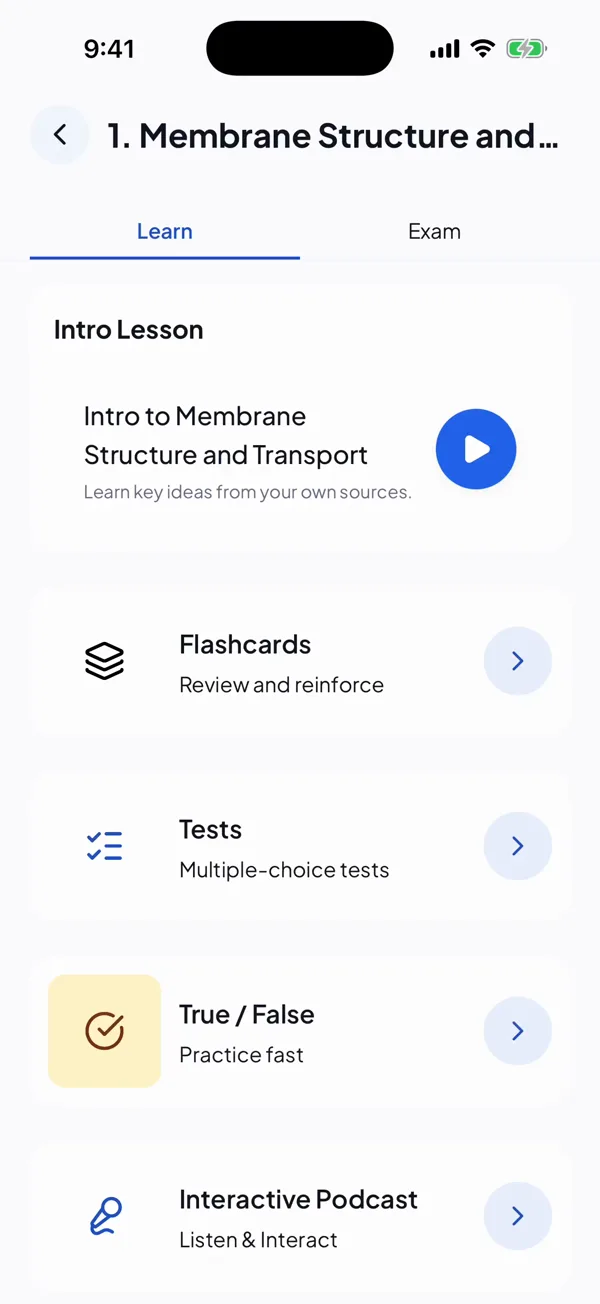
Every level has a short lesson, flashcards and a test, all made from your notes. Pass the test and the next level opens.
Inside every level
Instead of rereading the same pages, learn a piece, quiz yourself on it and move on. Everything is built from the notes you added.
A short, guided explanation of the level, written from your own sources.
Terms and definitions from your material. Tap a card to flip it.
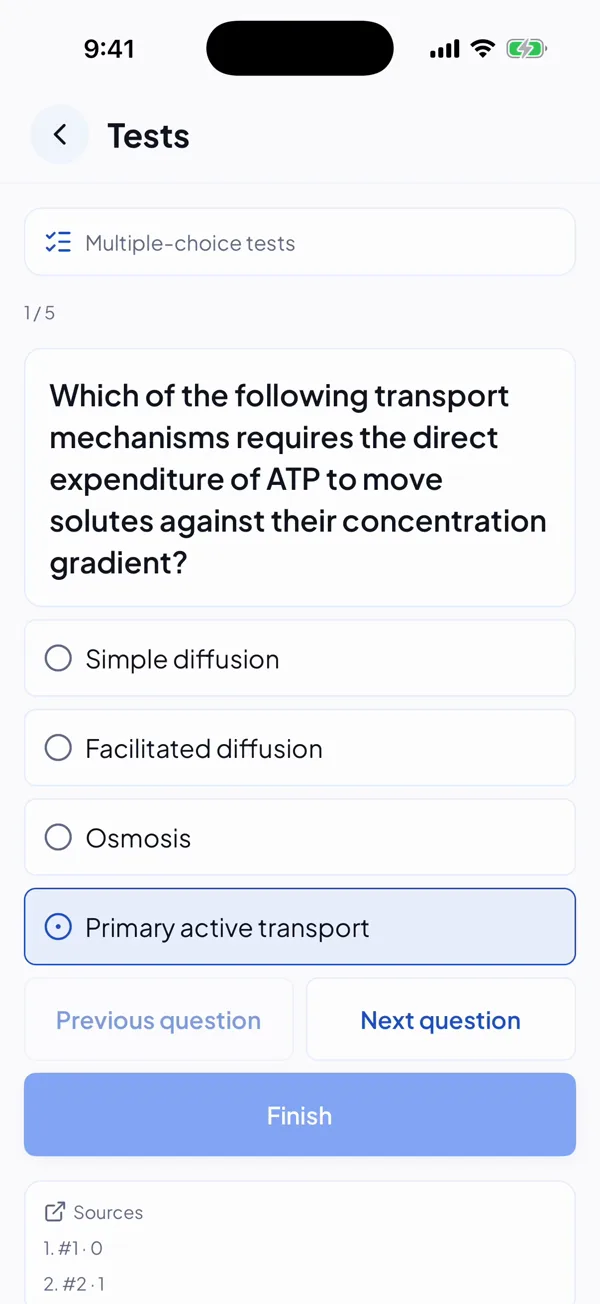
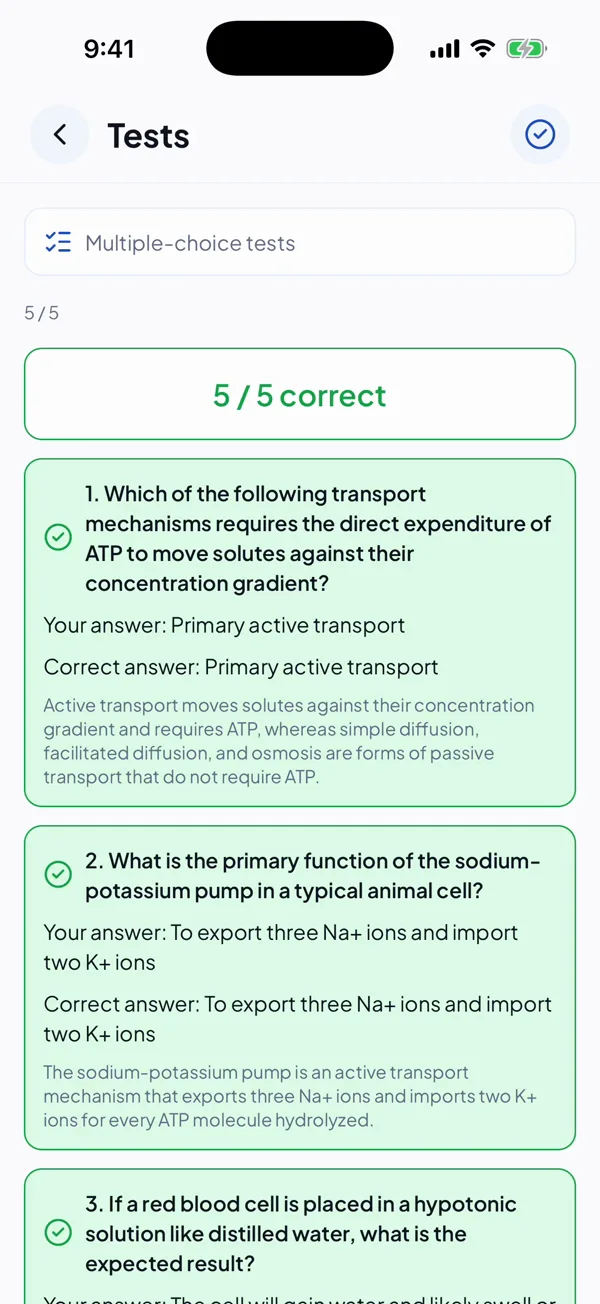
Multiple-choice plus a fast true/false round, built from your notes. Every answer comes with the correct one and a short why.
Turn notes into a two-voice conversation with listening checkpoints, spoken on your device so it starts instantly.
A daily streak, study reminders you schedule and shareable quiz results keep you going. AI can make mistakes, so check important facts against your course material.
Ask your notes
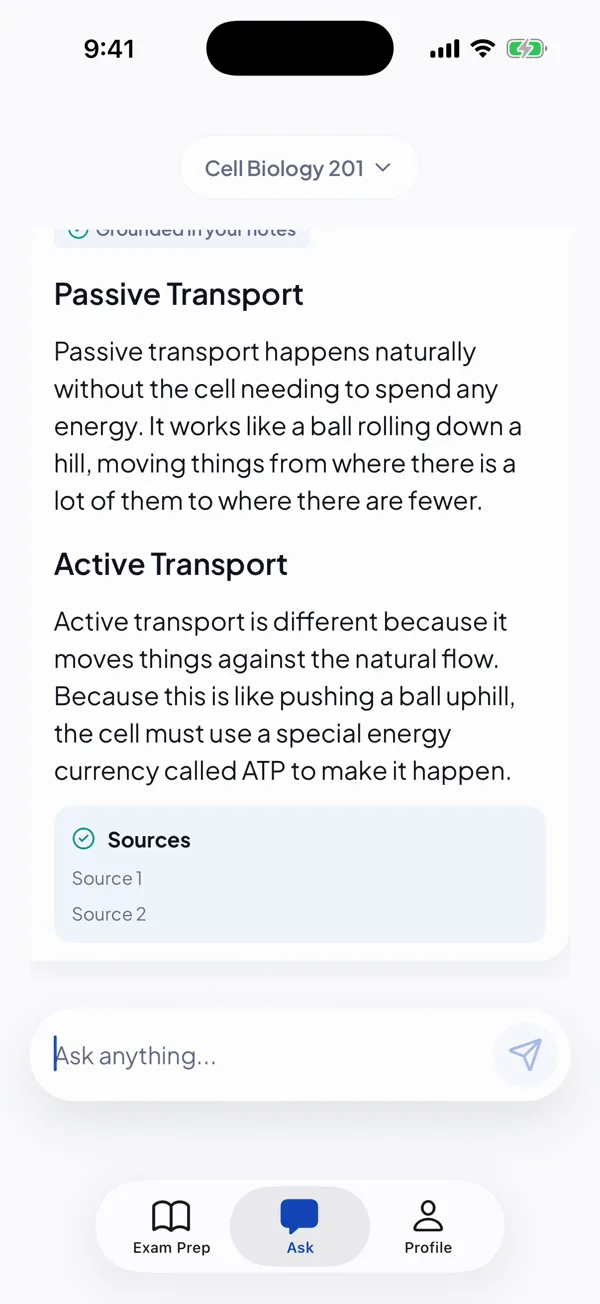
Stuck on a concept at 11 pm? Ask. StudyPal answers from the PDFs and notes you added and lists its sources underneath.
It's still AI: double-check anything important against your course material and follow your school's AI rules.
Exam season
Two weeks or two months, the plan fits the days you have.
University
Drop in your lecture slides and notes, set the date and get a study plan for finals that splits the course into levels.
School
Revising for GCSE or A-level mocks? Add your notes and get a revision plan with quizzes and flashcards.
Anything
Entrance exams, certificates, or something you just want to learn. Material or a topic, plus a date, is enough.
Straight talk: StudyPal has no built-in question bank or syllabus. It works from your own material, so it fits any course and any exam board, as long as you bring the notes.
Pricing
Try it first, no account and no card. Upgrade when one plan isn't enough.
Enough to see if StudyPal works for you.
For when you're studying for more than one exam.
Only the yearly plan has the 3-day free trial, for new subscribers. Prices vary by country and are shown in the app before you pay. Cancel any time in your App Store or Google Play subscriptions.
Invite a friend, you both get 7 days of Premium. Share the invite code from your profile. When your friend saves their account and creates their first plan, you both get the week. Codes are for new accounts.
Yes. Upload a PDF or .txt file (up to 5 MB each, 20 MB total), or paste notes. Each level gets a multiple-choice test and a true/false round built from your material.
Add your material and exam date. StudyPal splits it into ordered levels spread across the days you have left. Each level has a short lesson, flashcards and a test. Passing the test opens the next level.
Yes. Each level includes flashcards made from the notes you added. You tap a card to flip it.
You can download it, start as a guest, and get your first plan with Level 1 free. Further levels, unlimited plans and 600 AI credits a month need Premium (weekly, monthly or yearly; prices are shown in the app).
It works with whatever material you add, whatever the course: university midterms and finals, mocks, or any exam with a date. It doesn't ship exam-board content, so bring your own notes.
Different. StudyPal builds a plan and study tools from your uploads, and Ask answers from your notes and shows its sources. It's still AI, so double-check anything important against your course material and follow your school's AI rules.
Yes. Start as a guest and save your plan later with Apple, Google or email.
The yearly plan has a 3-day free trial for new subscribers; weekly and monthly don't. Cancel any time in Apple Settings > Subscriptions or Google Play > Payments & subscriptions.
They're used to build your plan and answer your questions. They're not sold or used to train public AI models. See the privacy policy.

Download StudyPal, add your notes or a topic, and see your roadmap in a few minutes.
No account needed. Level 1 of your first plan is free.